Watch a 3 minute tour of how MockupScreens makes it really easy to create prototype screens for Desktop and Internet applications. Topics include mocking up several screens for a business tool, creating annotations for later discussion, using the slideshow and creating a pdf.
The idea behind MockupScreens is simple, and so is the work you do with MockupScreens' help. Just draw the main screens of your application, organize them in "scenarios" (or use-cases, storyboards... you name it), and walk through scenarios with real users BEFORE the programming has started.
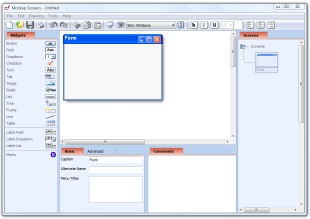
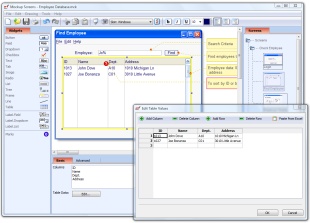
| Draw screens quickly from standard application elements Use common application elements such as buttons and text fields and draw sketches of important application screens. With MockupScreens you can do this in minutes!
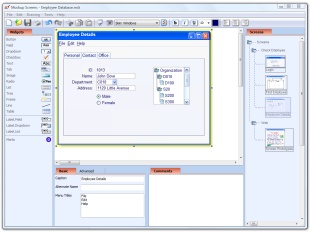
Click Image to Enlarge | Organize screens in scenarios Organize screen sketches in scenarios (or use-cases, storyboards... you name it) and quickly create wireframe of your application. Help your customers understand what they are going to get!
Click Image to Enlarge | |
| Walk through scenarios with real users Use the slideshow to present scenarios you work on. Experiment interactively with your client and be sure to get the idea across and gather important feedback. Add a "touch" of interactivity by setting some elements (such as buttons for important actions) to "jump" to another screen when clicked. You can even prototipe realtime in a meeting!
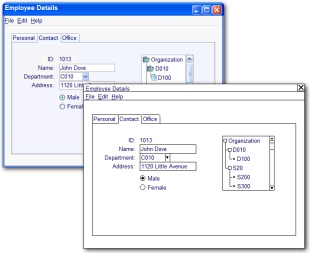
Click Image to Enlarge | Avoid sketches to look like "almost done" application Early on, you surely want to avoid giving impression that the project is almost done. Simply switch to "black&white" look and feel and focus on basics with no unwanted pressure: application structure, data and workflow.
Click Image to Enlarge | |
| Populate screens with real-looking data Requirements professionals of course already know this: to gather quality feedback you have to populate screen elements with real-looking data. Mockup Screens is built to make this easy for you!
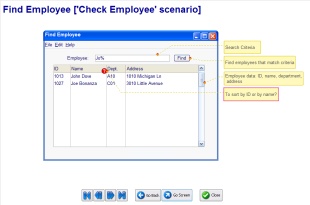
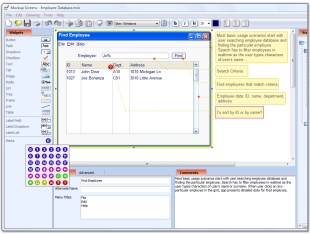
Click Image to Enlarge | Document what is important Each element including the screen itself can be documented. You can even add colored icons to point to the questions or issues remaining. Use these two features to clarify software requirements and user interface specifications and improve on customer feedback. For smaller projects that might even be all you'll ever need!
Click Image to Enlarge | |
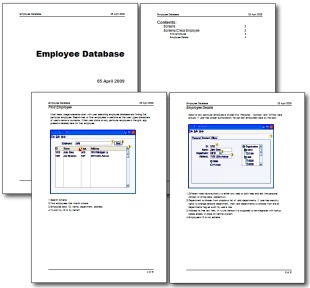
| Print or export complete specification When you need it, print the individual scenario or the whole thing in nicely formated report designed to be usable out-of-the-box. Additionally, you can export your scenarios to PDF or HTML and easily distribute them. Of course you can always copy single screen to Word or similar tool. With such specifications you can easily communicate to developers and business people alike!
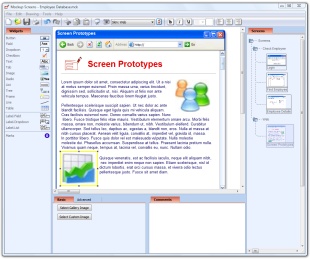
Click Image to Enlarge | You can create web sketches, too! You can also sketch web pages. Great time saver is collection of predefined "dummy" images. Of course you can add your own images, too!
Click Image to Enlarge |
Download free 30-day trial of MockupScreens
Installer size iz 9MB. It works on Windows 2000, XP and Vista.
Buy Multi-user licenses at 30% and greater discounts
You get: a huge discount, license key for use on number of PCs, 12 months of free e-mail support and 12 months of free upgrades.
Order Single User License $99.95
You get: license key for use on single PC, 12 months of free e-mail support and 12 months of free upgrades.
 Instant productivity! It is so easy that I can prototype realtime in a meeting." I wanted to take a moment and write you this note for the excellent contribution you have made via this tool." Your product provides the perfect tool for getting the idea across without giving the impression that the project is already done!" MockupScreens helped me do a better job at helping my customer understand what they're going to get." MockupScreens allows our programmers to turn my ideas into project code quickly." - J.D.Young, President, Digital Retail SolutionsI have been looking for something like this for a long time!" "My compliments for this application, I'm discovering it and enjoy the easy way things work."MockupScreens is a great tool for designing and/or analyzing the design of an application."Mockup Screens is an excellent product for creating quick user interface prototypes. It is extremely easy to learn and so efficient that you can use it in meetings to explore design ideas or create rough scenarios of use without the product getting in the way." First of all, i want to thank you for this wonderful tool! I wish you a happy New Year, hope Mocukupscreen's going to grow..."As before, I really like this product and I have already begun to use it in my work. I hope you continue to develop it and will be open to suggestions for enhancements and so on from the user community."I've just started using MockupScreens today and it works great. I can sketch a screen in minutes."I have looked around for GUI designing tools and found many tools are too complicate for "interactive" designing session. You have done a good job with the user interface of software."I really like Mockup screens. It gave me the benefits I sought. It helped me do a better job at helping my customer understand what they're going to get." I recently purchased three copies of your product. It is fantastic! Thanks for a great product."